
How to Reset Password in Windows 10, 8, 7 & Vista
The problem is old: you have forgotten or lost the password to login to your Windows computer. In this tutorial I will show you, how to reset your password to regain access to your computer.

The problem is old: you have forgotten or lost the password to login to your Windows computer. In this tutorial I will show you, how to reset your password to regain access to your computer.
Disk Cleanup, is a Windows utility that allows you to clean unnecessary files on your disk drive, in order to gain free disk space. Disk Cleanup tool, can be used in regular basis in order to delete files that don't needed
After upgrading a based Windows 7 or 8.1 computer to Windows 10, Office Documents (Word, Excel, PowerPoint, etc.) cannot open anymore and the the following error is displayed: "Word experienced an error trying to open the file. Try these suggestions: Check the file permissions of the document or drive. Make sure there is sufficient free […]
If you have get a new Windows computer or you have performed a new Windows installation and you want to restore and use your old Outlook PST file, with all the information that stored in it (mail, contacts, calendar, rules, settings, etc), then you 're in the right place to find out how you can […]
In Windows 10, updates are installed automatically in the background to improve system stability and security. But sometimes, Microsoft releases bad updates that causes many problems on the system, so there is the need to uninstall these updates to bring our computer back to operation again.
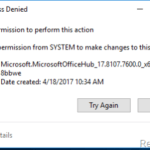
The error message "Cannot delete folder, directory is not empty" can be faced on any Windows based computer (Windows 10, 8, 7, Vista or XP) if you try to delete a folder that the system cannot access due to the permissions applied to it.
![[HOW TO] Disable Windows Updates in Windows 10, 8, 7 or Vista](https://www.repairwin.com/wp-content/uploads/2017/03/image-77-150x150.png "[HOW TO] Disable Windows Updates in Windows 10, 8, 7 or Vista")
Many times, there is the need to disable Windows Updates because they can cause several problems on the system functionality and stability, especially in cases where a new update has not tested enough before it published. Windows Updates are controlled and downloaded from the Windows Update service, which is included in all Windows versions.
The "Preparing Automatic Repair" loop issue, can be faced on a Windows 10 or Windows 8 based computer, after installing a Windows Update or after closing you computer without performing a normal shutdown (e.g. after a power outage).

After the fresh installation of Windows 7 & Windows 8.1 on two different laptops, the Windows 10 Upgrade stuck at 99% complete of “Getting your upgrade ready”. when attempting to upgrade the system to Windows 10, using the Windows 10 Upgrade Assistant. The same issue is also happened when attempting to upgrade to Windows 10
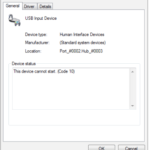
In this guide you can find instructions on how to resolve the USB Device Cannot Start Code 10 issue: an attached USB device is not recognized by Windows and in device manager is displayed with a yellow exclamation mark with status This device cannot Start (Code 10).
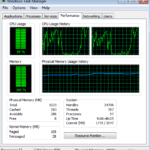
WsAppService.exe is a process that causes very high Memory usage and can make your computer to run very slow. WsAppService.exe is part of Wondershare Application Framework service (WondershareAppService), developed by Wondershare company.
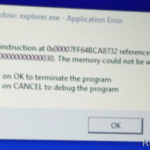
The "DDE Server Window: explorer.exe – Application Error" can faced on a Windows 10 computer during system shutdown. The "DDE Server "error looks as a bug of Windows 10 because is displayed –only – every time user tries to shut down the machine,