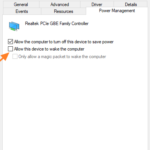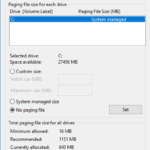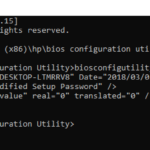
FIX: Windows 10 Not Shutdown Completely.
The following problem appears on a Windows 10 based computer after installing updates: Windows 10 not shutdown completely after choosing 'Shutdown' from 'Power' options menu.
In this tutorial you 'll find detailed instructions to resolve the high CPU and Disk usage issues on Windows 10. Many users complains that their Windows 10 computers run slow without an obvious reason and without having any open programs.
This tutorial contains instructions to resolve the following error in Windows 7 OS: "Windows Failed to start. File CI.dll is missing or corrupt. Status: 0xc0000098".
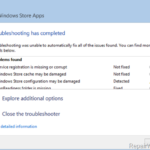
This tutorial contains instructions to resolve the following error in Windows 10 Apps Troubleshooter: "Windows Store Cache may be Damaged – Not Fixed".The Windows Apps Troubleshooter, in Windows 10, helps you to repair problems with the Windows Store App and the Windows Store Apps, but,
This tutorial contains instructions to resolve the following error when running the DISM command "Dism.exe /Online /Cleanup-Image /Restorehealth" from the Windows Recovery Environment: "Error 50, DISM does not support servicing Windows PE with the /Online option".
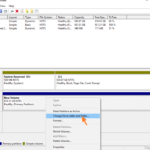
This tutorial contains instructions to remove the extra drive, which appears in Windows 10, after updating to v1803. Problem description: After installing the feature update 1803 on Windows 10, a new appeared at Windows Explorer and at the Disk Management.
If you cannot delete a partition on Windows using the Disk Management utility because the "Delete Partition" option is greyed out, then probably the partition is an "EFI System" partition or a "Recovery Partition".
In this tutorial you'll find several methods to fix the following issue: Windows 10 1803 Update cannot be installed on Hybrid laptops with discrete GPU, with error "Some apps need to be uninstalled. These programs need to be uninstalled because they aren't compatible with the upgrade: Hybrid laptops with discrete GPU connected to display".
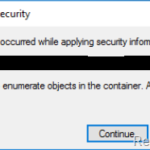
This tutorial contains instructions to resolve the following error: "Error Applying Security. An error occurred while applying security information to folder %Folder Name%. Failed to enumerate objects in the container. Access is denied" when you try to change the permissions of the folder in Windows 7, 8 or 10 OS.
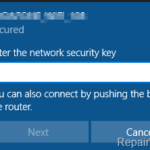
On a Windows 7-based computer, the following issue occurs: Windows does not remember the Wi-Fi password / key, and after restarting or shutting down the computer, the user is always prompted to type the wireless key to connect to the network, despite the fact that it chooses to connect automatically.
The Windows 10 Update error 0x80070BC2 occurred when trying to install the Cumulative Update KB4056892. In fact, Windows 10 (v1709) after downloading the KB4056892 update starts the installation, but at the end, the KB4056892 update installation is interrupted with error 0x80070BC2.
Problem description: In a Windows 10 based computer, the Settings app, the Windows Store or several Store Apps, won't open or crash. When this issue happen, the user cannot launch Settings or an App from Windows Store.