FIX: 0x80080005 in Windows 10 Update (Solved).
The Windows Update error 0x80080005 in Windows 10, 8 and 7 computers usually appears when the Windows Update service is damaged or missing from the system because of a malware attack or other reasons.
If you have an HP desktop computer with Windows 10 and when restarting, no signal appears on the screen for 3-4 minutes, then continue below to fix the problem. This article contains instructions to fix the slow restart/no signal issue on HP PCs with Windows 10.
As you may know with Windows 10 you have the ability to create PDF files from any program, by using the virtual printer "Microsoft Print to PDF". If you have accidentally deleted the "Microsoft Print to PDF" printer, continue reading this article
If you face the error "The system registry contains invalid file paths. Installation cannot proceed" when you try to upgrade Windows 10 to a newer version, continue reading below to fix the problem.
The error "For security and performance, this mode of Windows only runs verified apps from the Store" appears when Windows 10 is running in S Mode, or because of a setting on your computer, which restricts third-party apps and software from being installed.
In some companies, there is the need to disable the USB storage devices, in order to prevent employees to copy sensitive data of the company, or to prevent the risk of malware that may run from a USB storage device.
The Windows 10 Update error code "0x800707E7 – 0x3000D: The installation failed in the FIRST_BOOT phase with an error during MIGRATE_DATA operation", usually occurs when Windows cannot migrate a user profile.
Skype camera black/blank screen problem, is one of the most common problems on Windows 10, and can be caused by a number of reasons, so here's a step-by-step guide to how to fix it.
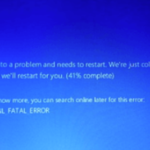
If you face the blue screen error "VIDEO DXGKRNL FATAL ERROR" in Windows 10, follow the instructions below to fix the problem. The Windows 10 BSOD error "Your PC ran into a problem and needs to restart. We 're just collecting some error info, and then we'll restart for you. If you like to know […]
The Windows 10 Bad Image error, with Error Status 0xc000012f or 0xc0000020, usually appears after installing a Windows 10 Update or after upgrading Windows 10 to its latest build. A "bad image" error in Windows 10, means that one or more files of the application mentioned in the error message are corrupted
If Windows 10 Search crashes and Explorer restarts, continue reading below to fix the problem. Problem description: Whenever the search function is used in Windows 10, the searching interrupted and causes Windows Explorer to restart,
If you trying to run a script in Windows 10 PowerShell and you receive the error message "Cannot be loaded because running scripts is disabled on this system" continue reading below to fix the problem.