
FIX: Thunderbird receives the same email over and over again (Solved)
Today one of my customers reported me that Thunderbird receives the same email over and over again without downloading new emails. His problem reminded me of another client in which Thunderbird downloads duplicate messages when downloading mail.
In this tutorial you'll find instructions on how to avoid Thunderbird to download duplicate message(s) from POP Account..
How to FIX: Thunderbird keeps downloading the same emails.
Method 1. Scan your computer for viruses.
Important: Many viruses or malicious programs can cause problems with Windows update. So before you continue to the troubleshooting steps below, use this Malware Scan and Removal Guide to check and remove viruses or/and malicious programs that may be running on your computer.
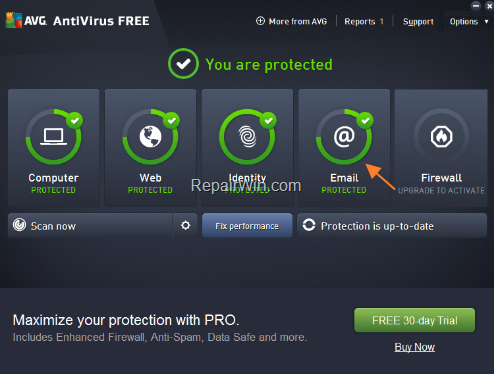
Method 2. Disable AVG Antivirus Email Scanning.
AVG Email Scanning can cause Thunderbird to download the same email over and over again. To find out if AVG is the culprit for the Thunderbird duplicate message issue, close Thunderbird and proceed to uninstall AVG or disable the Email Shield. *
* Note: If you're using another AV program with email scanning features, then disable the mail scanning or totally uninstall it before you continue to next method.
Method 3. Delete Thunderbird's POPSTATE.DATE File.
The "popstate.dat" file is used by Thunderbird when you use a POP account to store the state of messages that Thunderbird has downloaded and left on the POP email server. Sometimes the "popstate.dat" file gets corrupted and has to be re-created to stop Thunderbird from downloading the same email over and over again. To delete the "popstate.dat" file:
Step 1. Close Thunderbird.
Step 2. Enable the Hidden files view.
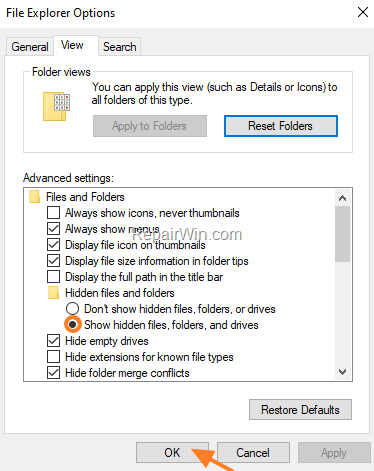
1. Navigate to Windows Control panel and open the Folder Options. (or the Files Explorer Options in Windows 10).
2. Select the View tab, and under the 'Hidden files and folders' section, check the Show hidden files, folders, and drives option and click OK.
Step 3. Delete the popstate.dat file.
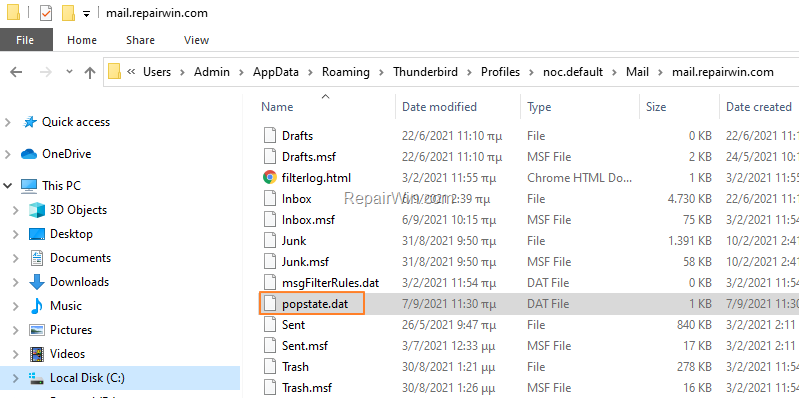
1. Navigate to the Thunderbird profile folder on your disk and open the Mail folder: *
- C:\Users\username\AppData\Roaming\Thunderbird\Profiles\ProfileName.default\Mail\
* Where username is your Windows username and ProfileName is the Thunderbird default profile folder.
2. Now explore the "Local Folders" folder* and delete the popstate.dat file. *
* Note: If you have set up more than one POP account in Thunderbird, then explore the folder with the same name as the account you are experiencing the problem.
3. When done, open Thunderbird and check if problem persists.
Method 4. Delete the Email Message from the Server.
Another method to prevent thunderbird to download the same mail over and over, is to delete the message on the server side. You can do this, either by login on the webmail of the POP account, or through Thunderbird by following the below steps:
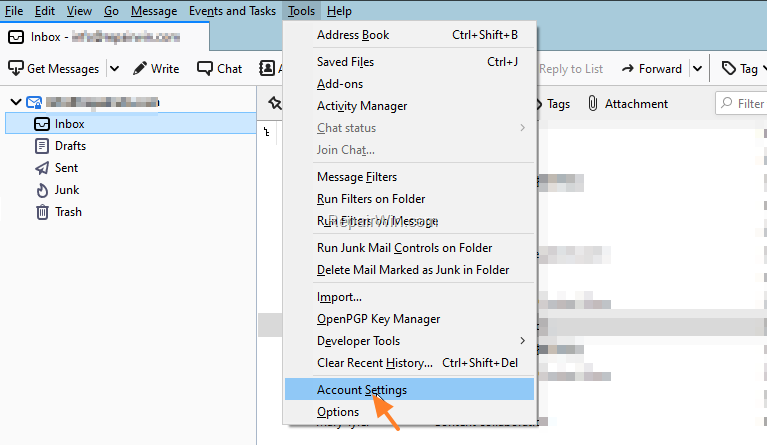
1. From Thunderbird's menu, go to Tools > Account Settings.
2. Uncheck "Leave messages on server" and close the account settings options.
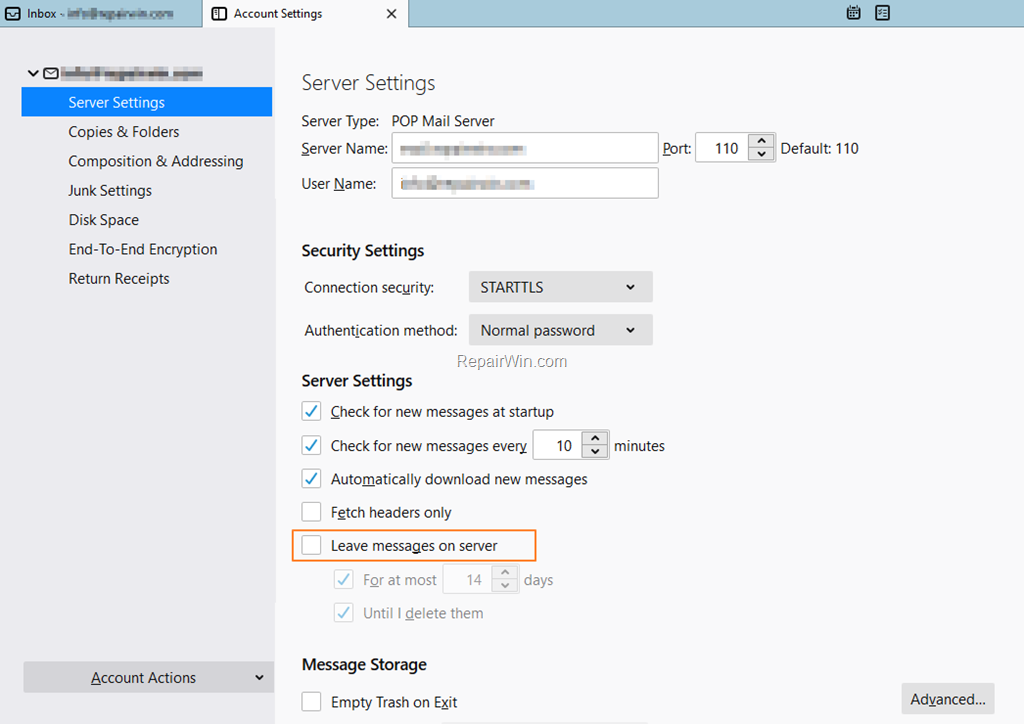
3. Click Get Messages at least twice and restart Thunderbird to make sure the problem has been fixed.
That’s all folks! Did it work for you?
Please leave a comment in the comment section below or even better: like and share this blog post in the social networks to help spread the word about this solution.
Frequently Asked Questions
Why does Thunderbird keep receiving the same email repeatedly?
Thunderbird may keep receiving the same email due to issues such as a corrupted 'popstate.dat' file, conflicts with antivirus email scanning, or leftover emails on the server.
How can I stop Thunderbird from downloading duplicate emails?
To prevent Thunderbird from downloading duplicate emails, you can try scanning your computer for viruses, disabling the email scanning feature in your antivirus software, deleting the 'popstate.dat' file, or deleting the duplicate email from the server.
What is the 'popstate.dat' file and how does it affect email downloads in Thunderbird?
The 'popstate.dat' file is used by Thunderbird to store the state of messages that have been downloaded from a POP email server. If the file becomes corrupted, it can cause Thunderbird to repeatedly download the same emails.
What should I do if my antivirus is causing duplicate email downloads in Thunderbird?
If your antivirus is causing this issue, try disabling its email scanning feature. If the problem persists, consider uninstalling the antivirus temporarily to see if it resolves the issue.




April 19, 2023 @ 6:28 am
Replace all "postdate" with "popstate" then don't let spellcheck autocorrect.
April 20, 2023 @ 4:16 pm
Done! Thanks