
How to Move all Calendar items to another Calendar folder in Outlook.
If you have more than one calendars in Outlook and you want to move all the events from one calendar to another, then continue reading below to find out how you can do that.
In case you only have a few Outlook calendar events, you can select them and transfer them to another calendar folder one by one. But, if you have too many events that need to be moved to another calendar folder, it is difficult to do this job. Fortunately, there is a better and easier way to move all calendar items from one folder to another and this guide will show you how to do it.
How to Copy or Move all Outlook Calendar Events from one folder to another. (Outlook 2013/2016/2019).
To move or copy all Calendar items to another folder in Outlook:
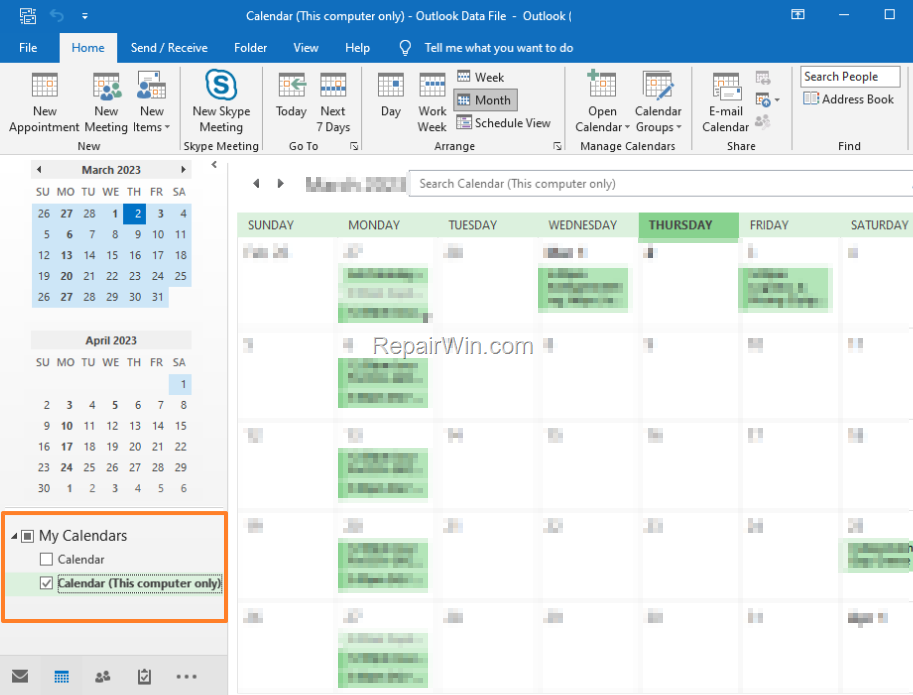
1. From the left pane, select (check) only the Calendar folder whose events you want to move to another folder. (e.g. the "Calendar (This Computer only)" in this example)
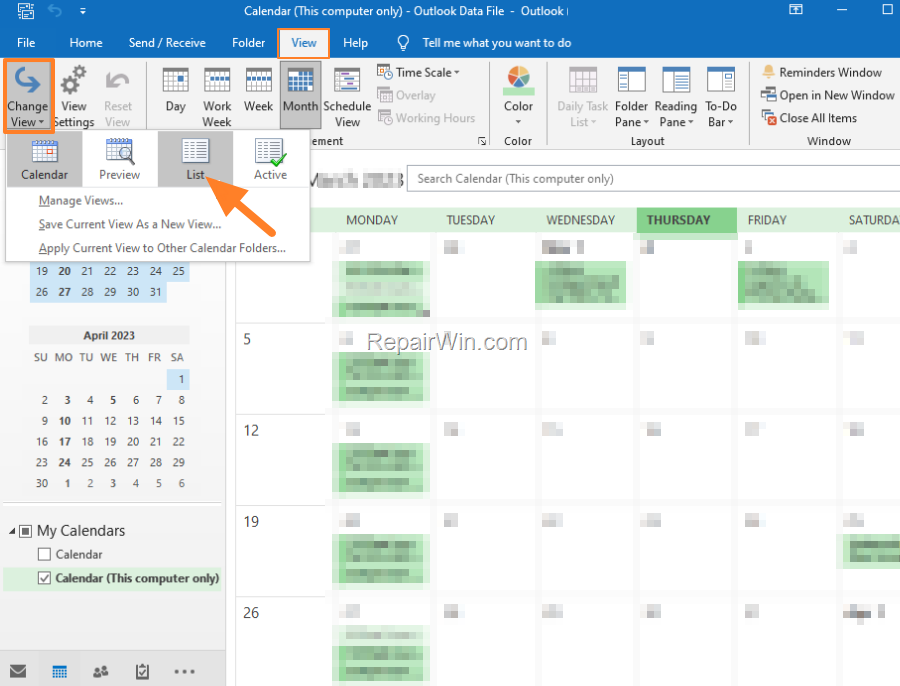
2. Then, from the View menu, select Change View > List to view all the calendar events in a list.
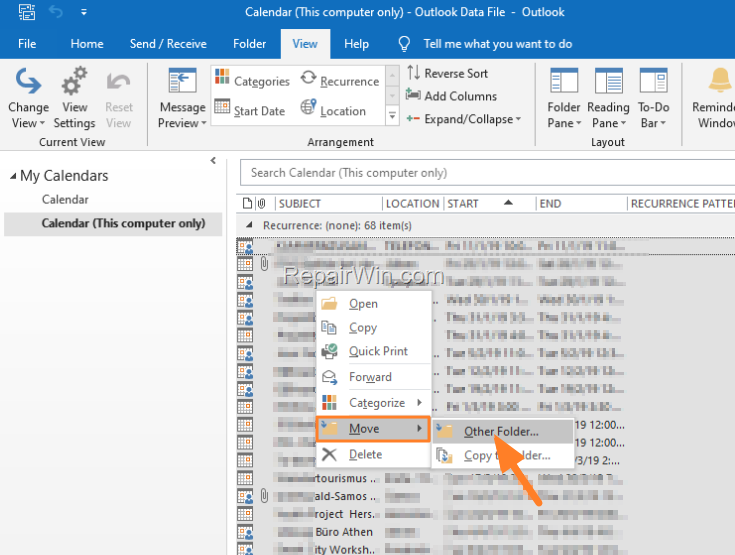
3. Now press CTRL + A to select all the calendar events and then right-click and select Move > Other Folder. *
* Note: You can also drag all events to another folder.
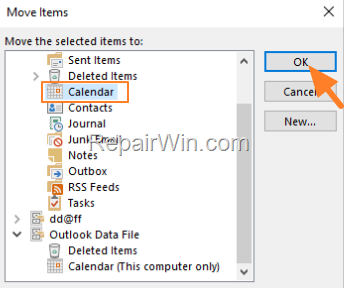
4. In the 'Move Items' window, select the destination calendar folder and click OK.
That’s all folks! Did it work for you?
Please leave a comment in the comment section below or even better: like and share this blog post in the social networks to help spread the word about this.
Frequently Asked Questions
How can I move all events from one Outlook calendar to another?
To move all calendar events to another folder in Outlook, select your desired calendar from the left pane, switch the view to List from the View menu, press CTRL + A to select all events, then right-click and choose Move > Other Folder.
Is there an easier way to transfer multiple Outlook calendar events?
Yes, you can select the calendar events in list view as described and use Move > Other Folder to transfer them all at once, rather than moving them individually.
Can I drag all my Outlook calendar events to a different folder?
Yes, once you've selected all events, you can drag them to another calendar folder if you prefer not to use the Move > Other Folder option.



