
FIX: Energy Server Service queencreek service terminated. Event ID 7023
This guide contains detailed instructions to fix Event viewer error 7023: "The Energy Server Service queencreek service terminated with the following error:
The stream is not a tiny stream."
The Event ID 7023 error "queencreek service terminated" is related to Intel Graphics drivers and more specifically to Intel Driver update utility. (aka "Intel® Driver & Support Assistant"). To fix the problem, follow the instructions below.
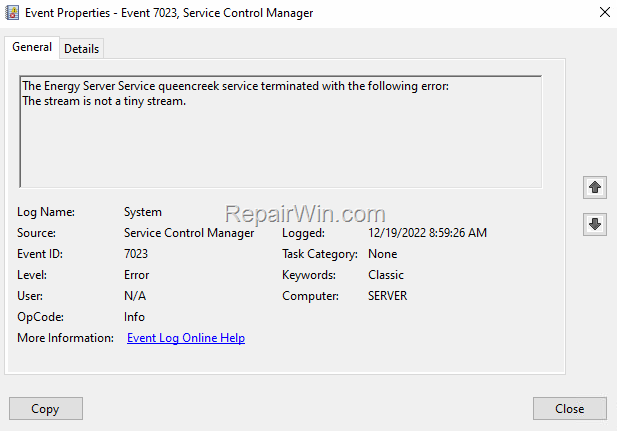
How to Fix Event ID error 7023: Energy Server Service queencreek service terminated. The stream is not a tiny stream on Windows 10/11.
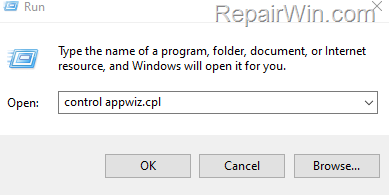
1. Navigate to Control Panel > Programs and Features. To easy navigate there:
1. Press Windows
+ R keys to open the Run command box.
2. Type control appwiz.cpl and press OK (or Enter)

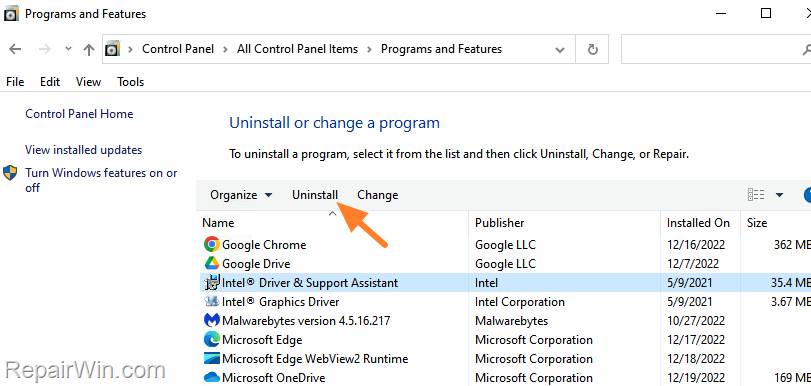
2. Select the Intel Driver & Support Assistant and click Uninstall.
3. Then click Uninstall again to remove the Intel Driver Update utility.

4. When the Uninstall is completed, restart the PC.
5. After the reboot, open the Event Viewer and check if the Event ID 7023 error is resolved. If not, proceed as follows:
6. Navigate again to Programs and Features and uninstall the Intel Graphics Driver.
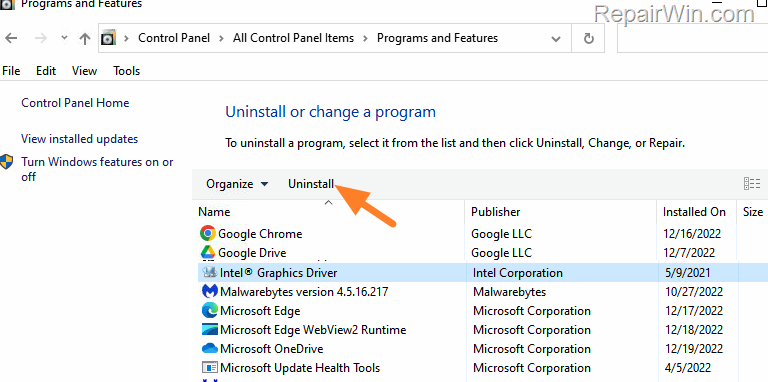
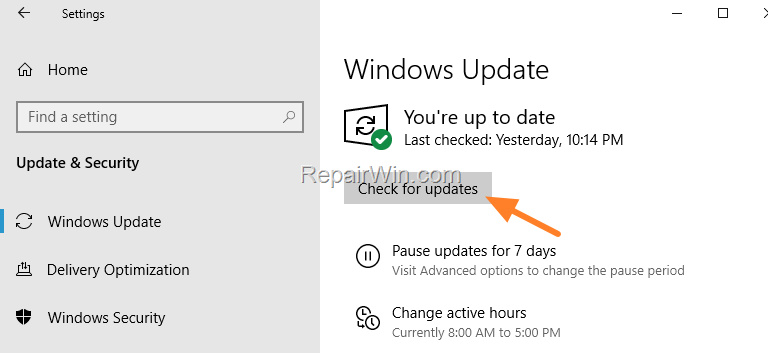
7. After Uninstall go to Start > Settings > Windows Update.
8. Click Check for updates, and then install any updates found. Normally Windows will find and install the latest driver for your Intel Graphics adapter. *
* Note: If Windows Update cannot find the driver for your graphics adapter, then download and run the latest version of the Intel® Driver & Support Assistant and let it to install all the Intel Drivers.
That's all folks! Please leave a comment in the comment section below or even better: like and share this blog post in the social networks to help spread the word about this solution.
Frequently Asked Questions
What is Event ID 7023: 'The Energy Server Service queencreek service terminated' error related to?
The Event ID 7023 error related to 'The Energy Server Service queencreek service terminated' is associated with Intel Graphics drivers, specifically the Intel Driver update utility, also known as the Intel® Driver & Support Assistant.
How can I open Programs and Features quickly on Windows 10/11?
You can quickly open Programs and Features by pressing the Windows + R keys to open the Run command box, then typing 'control appwiz.cpl' and pressing OK or Enter.
What should I do if uninstalling the Intel Driver & Support Assistant doesn't resolve the Event ID 7023 error?
If uninstalling the Intel Driver & Support Assistant doesn't resolve the error, uninstall the Intel Graphics Driver from Programs and Features, then check for updates under Start > Settings > Windows Update and install the latest driver for your Intel Graphics adapter.
What if Windows Update doesn't find the necessary driver for my Intel Graphics adapter?
If Windows Update cannot find the driver for your graphics adapter, you should download and run the latest version of the Intel® Driver & Support Assistant, which will help install all necessary Intel Drivers.



