
FIX: Cookies for Comments css.php broken image in footer (WordPress)
After updating the iThemes Security plugin to its latest version on your WordPress website, a broken css.php image may appear in the footer of the page. The broken image "css.php" appears because the Cookies for comments plugin that fight spam, can not be executed properly due to a restriction from the iThemes Security plugin.
In fact this problem is due to the fact that the latest version of iThemes Security does not allow PHP execution in the PLUGINS folder. To remove the broken css.php image/text from the footer of your webpage, continue reading below.
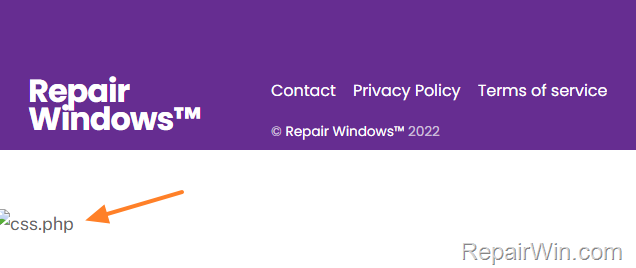
How to Remove css.php text & broken image from the footer of WordPress.
Method 1. Modify iThemes Security Settings.
The first method to remove the ccs.php text and broken image from the footer of your WordPress page is to disable the execution of PHP in the plugin directory.
1. From the WordPress Dashboard, go to iThemes Security > Settings.
2. Click Advanced on the left and at System Tweaks options at the right, uncheck the Disable PHP in Plugins feature.

3. Clear the cache you're done!
Method 2. Disable Cookies for Comments & Use another Anti-Spam Plugin.
If you do not want to reduce the security provided by the iThemes security plugin, then your next option is to disable or remove the Cookies for comments plugin completely and to use another anti-spam plugin to fight the comment spam, such as Akismet, Antispam Bee, etc..
To disable and delete the Cookies for Comments plugin:
1. Go to your Dashboard > Plugins > Installed Plugins
2. Under the Cookies for Comments plugin select Deactivate. After deactivating the plugin, select Delete to remove it from WordPress.

That's all folks! Did it work for you?
Please leave a comment in the comment section below or even better: like and share this blog post in the social networks to help spread the word about this.
Frequently Asked Questions
Why is there a broken css.php image in my WordPress footer after updating iThemes Security?
The broken css.php image appears due to a restriction in the latest iThemes Security update, which prevents PHP execution in the PLUGINS folder, affecting the Cookies for Comments plugin.
How can I fix the broken css.php image issue in my WordPress footer?
You can fix it by either modifying iThemes Security settings to allow PHP execution in plugins or by disabling the Cookies for Comments plugin and using another anti-spam plugin.
What are the steps to modify iThemes Security settings to fix the css.php issue?
Go to iThemes Security > Settings from your WordPress Dashboard, click Advanced, and under System Tweaks, uncheck the Disable PHP in Plugins feature, then clear your cache.
What should I do if I prefer not to alter iThemes Security settings?
If you prefer not to change the settings, you can disable and delete the Cookies for Comments plugin and opt for another anti-spam plugin like Akismet or Antispam Bee to prevent comment spam.



