
Command Prompt missing from Start menu in Windows 10 Creators Update (Solved)
The problem: After upgrading your system with Windows 10 Creators Update, Command Prompt & Command Prompt (Admin) options are missing from the right-click menu at Start  menu button.
One of the changes in the Windows 10 creators update, is that the Command Prompt & Command Prompt (Admin) options have been replaced with the Windows PowerShell & Windows PowerShell (Admin) options when you right-click at the Start menu.
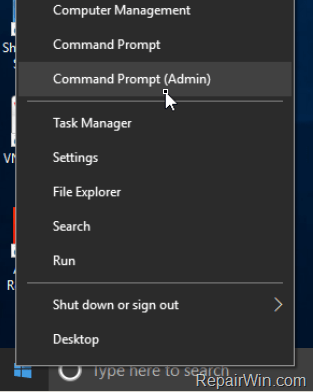
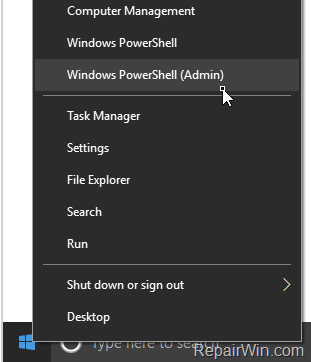
This tutorial contains instructions to re-enable the Command Prompt & Command Prompt (Admin) options instead of Windows PowerShell & Windows PowerShell (Admin) options in the Start menu (Right-click).
How to Get back Command Prompt shortcut in Windows 10 Creators Start menu.
To re-enable the Command Prompt options in Start – right-click menu:
1. Go Start > Settings  > Personalization
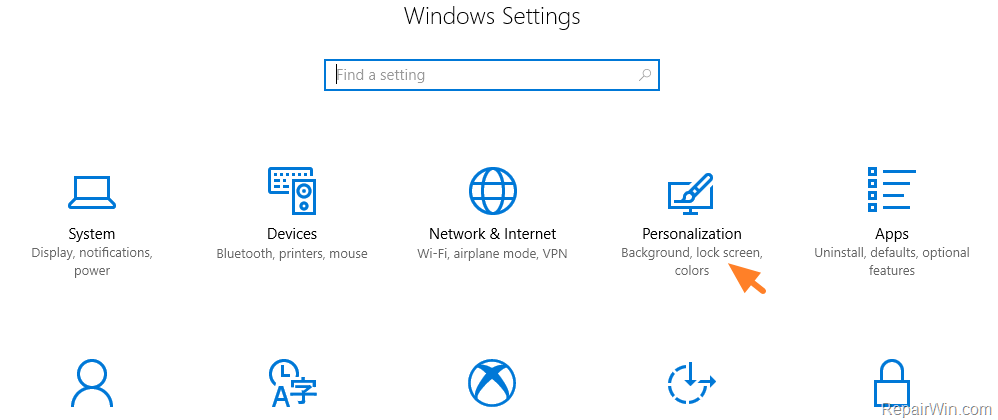
2. Select Taskbar from the left and then turn Off the "Replace Command Prompt with Windows PowerShell in the menu when I right-click the start button or press Windows key+X".

That’s all folks! Did it work for you?
Please leave a comment in the comment section below or even better: like and share this blog post in the social networks to help spread the word about this solution.




September 15, 2017 @ 12:42 pm
thanks!
May 15, 2019 @ 8:13 pm
Thank you so much. Very clearly explained and took no time at all. Well done !
January 29, 2020 @ 8:18 pm
I upgraded from Windows 7 to Windows 10. The command prompt was inactive, as were all of my icons accessing the internet. I tried this repair, and several others, and am still unable to access the command prompt.
January 30, 2020 @ 10:24 am
Follow the instructions on this tutorial to repair Windows 10.