
Download Microsoft Visual C++ Redistributable Packages (All Versions)
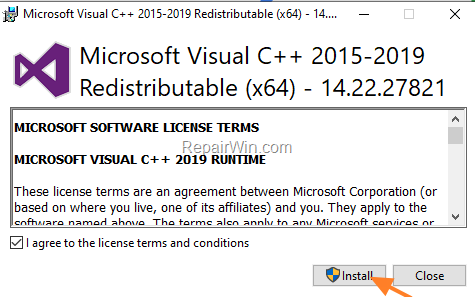
The Microsoft Visual C++ Redistributable Packages are runtime libraries, that are required by many applications which developed at Microsoft Visual C++ programming language, to run. In this article you will find all the links to download Microsoft Visual C++ Redistributable Packages for Visual Studio 2019, 2017, 2015, 2013, 2012, 2008 & 2005.
Related Articles:
- FIX: MSVCR80.dll was not found or missing.
- FIX: Program Can't Start because MSVCP100.dll or MSVCR100.dll is Missing.
Visual C++ Redistributable Download Links. *
* Note: If you have a 64-bit version of Windows, then you must download and install both the 32-bit & 64-bit versions of the Microsoft Visual C++ Redistributable packages..
Microsoft Visual C++ Redistributable Packages for Visual Studio 2019
- Download Visual C++ Redistributable for Visual Studio 2019 32-bit
- Download Visual C++ Redistributable for Visual Studio 2019 64-bit
Microsoft Visual C++ Redistributable Packages for Visual Studio 2017
- Download Visual C++ Redistributable for Visual Studio 2017 32-bit
- Download Visual C++ Redistributable for Visual Studio 2017 64-bit
Microsoft Visual C++ Redistributable Packages for Visual Studio 2015
Microsoft Visual C++ Redistributable Packages for Visual Studio 2013
Microsoft Visual C++ Redistributable Packages for Visual Studio 2012 *
* Note: Requires to sign-in with a Microsoft account.
Microsoft Visual C++ Redistributable Packages for Visual Studio 2010
Microsoft Visual C++ Redistributable Packages for Visual Studio 2008
Microsoft Visual C++ Redistributable Packages for Visual Studio 2005
- Download Visual C++ Redistributable for Visual Studio 2005 32-bit
- Download Visual C++ Redistributable for Visual Studio 2005 64-bit
That's all folks! Did it work for you?
Please leave a comment in the comment section below or even better: like and share this blog post in the social networks to help spread the word about this solution.
Frequently Asked Questions
What are Microsoft Visual C++ Redistributable Packages?
Microsoft Visual C++ Redistributable Packages are runtime libraries required by applications developed using Microsoft Visual C++ to execute properly.
Do I need to install both 32-bit and 64-bit versions of the Redistributable Packages?
Yes, if you have a 64-bit version of Windows, it's recommended to install both the 32-bit and 64-bit versions of the Microsoft Visual C++ Redistributable packages.
What should I do if I encounter missing .dll files like MSVCR80.dll or MSVCP100.dll?
You can refer to the related articles for solutions: ‘FIX: MSVCR80.dll was not found or missing’ and ‘FIX: Program Can't Start because MSVCP100.dll or MSVCR100.dll is Missing’.
Is signing in required for downloading certain versions of the Redistributable Packages?
Yes, for downloading the Microsoft Visual C++ Redistributable for Visual Studio 2012, you are required to sign in with a Microsoft account.




September 9, 2019 @ 6:09 am
Thank you, this made it easy for me to download the different versions that are available.