
FIX: Internet Explorer did not finish installing. (Solved)
If you receive the "Internet Explorer did not finish installing" error, while trying to reinstall Internet Explorer on your Windows 7 machine, or when trying to install a previous version of Internet Explorer, continue reading below to fix the problem.
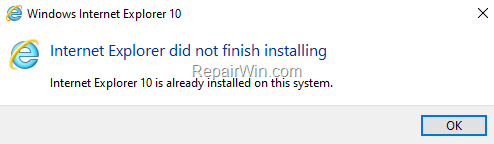
This tutorial contains instructions to fix the following Internet Explorer installation errors on Windows 7 :
- "Internet Explorer did not finish installing. Internet Explorer 10 is already installed on your system", when trying to install IE10 after removing IE11
- "Internet Explorer did not finish installing. Setup can't continue because a more recent version of Internet Explorer is installed on your computer", when trying to install IE10 without removing Internet Explorer 11.
FIX: Internet Explorer did not finish installing on Windows 7 OS.
The error "Internet Explorer did not finish installing", usually occurs because you have not properly uninstalled Internet Explorer from your computer. To resolve the error, continue as descripted below: *
* Note: To remove Internet Explorer 11 on Windows 10, see this article: How to Uninstall and re-Install Internet Explorer in Windows 10.
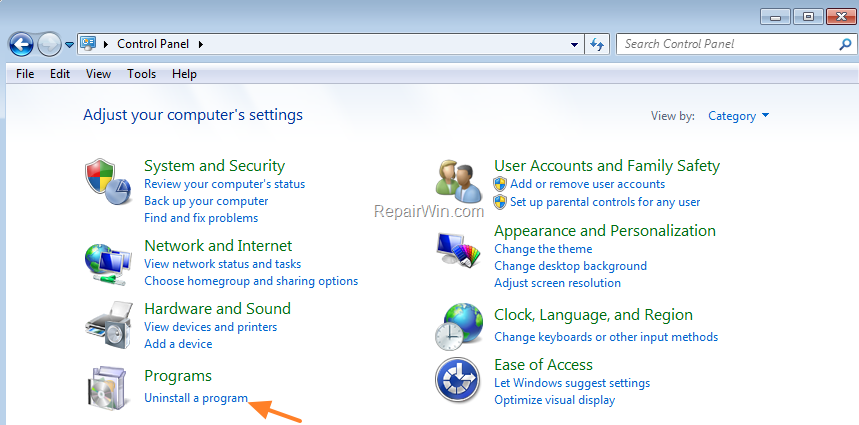
1. From Windows Control Panel open the Uninstall a program option.
 .
.
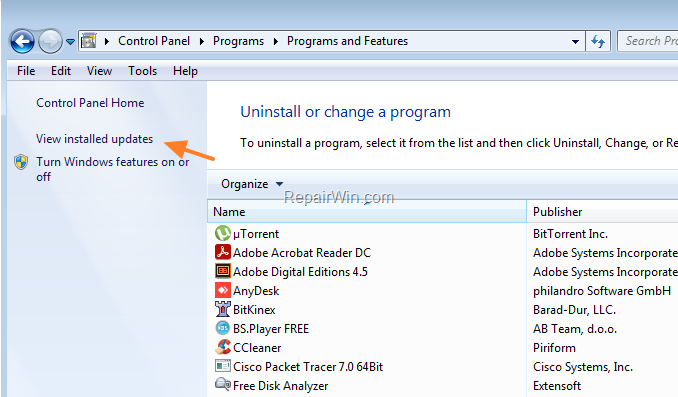
2. Click View Installed Updates on the left.
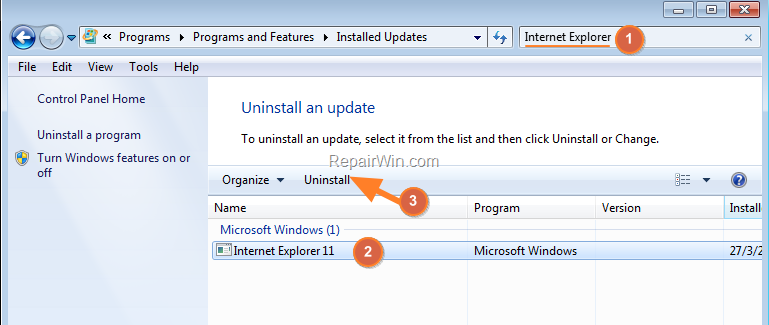
3. Type "Internet Explorer" on search box, select the installed Internet Explorer version from the results and click Uninstall.
4. After uninstalling, proceed to install Internet Explorer on your computer. The installation should now be completed without any problems.*
* Note: If the error persists, try the following:
1. According the installed Windows 7 display language and version (32 or 64Bit), download Internet Explorer 11 (Offline installer).
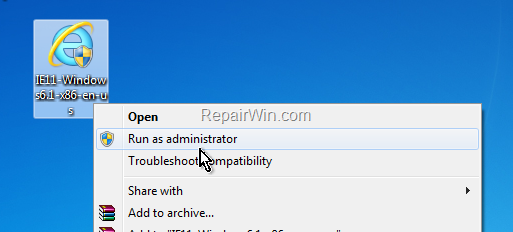
2. Right-click at the downloaded file and select Run as Administrator. (click Yes to UAC waning message).
3. Click the Install button to install Internet Explorer.
That’s all folks! Did it work for you?
Please leave a comment in the comment section below or even better: like and share this blog post in the social networks to help spread the word about this solution.
Frequently Asked Questions
What causes the 'Internet Explorer did not finish installing' error on Windows 7?
This error usually occurs because Internet Explorer was not properly uninstalled from your computer before attempting to reinstall a version.
How do I uninstall Internet Explorer completely from my Windows 7 machine?
Open the 'Uninstall a program' option from the Windows Control Panel, click 'View Installed Updates,' search for 'Internet Explorer,' select the installed version, and click 'Uninstall.'
What should I do if the installation error persists even after uninstalling previous versions?
If the error persists, download the Internet Explorer 11 offline installer according to your Windows 7 display language and version (32 or 64Bit), run it as an administrator, and proceed with the installation.
How can I help others who are experiencing this problem?
By liking and sharing the blog post on social networks, you can help spread the word about this solution to others who may be facing the same issue.



