FIX: An assertion failure has occurred when Unblocking a downloaded program (Solved)
If you receive the error "An assertion failure has occurred" when trying to modify the attributes on a downloaded program (application or .exe file), continue reading below to fix the problem.
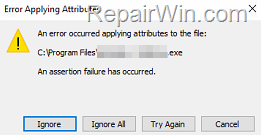
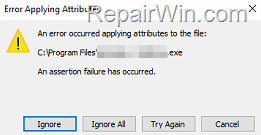
The error "An error occurred applying attributes to the file "name-of-file.exe". An assertion failure has occurred", is usually appears when trying to "Unblock" an application that comes from an untrusted publisher. To fix the problem, see the instructions below.
How to Fix: "An assertion failure has occurred" error when modifying attributes on a ".exe" file on Windows 10/11.
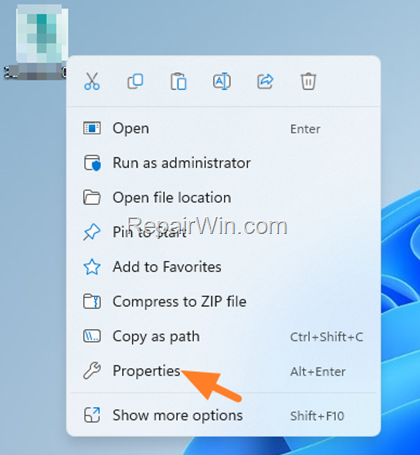
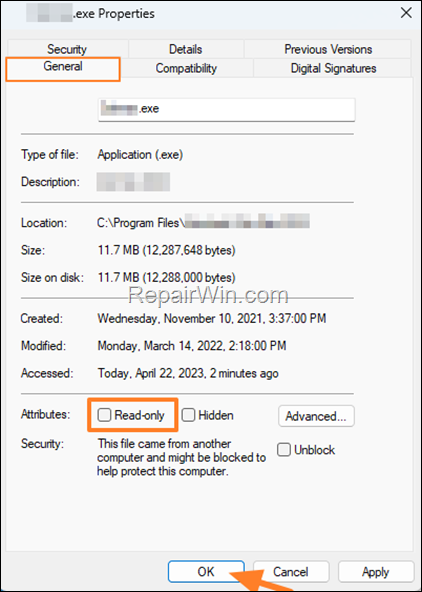
1. Right-click on the .exe file of the program that gives you the error "An assertion failure has occurred", and select Properties.
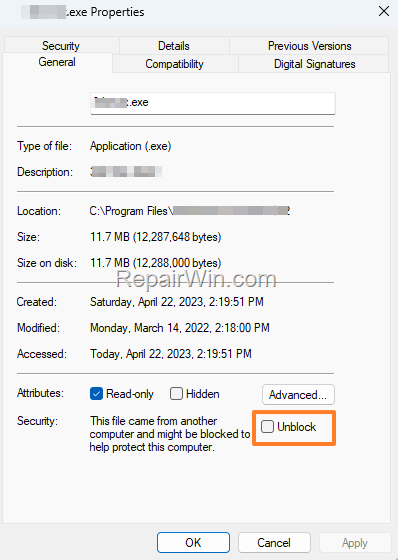
2. In General tab, uncheck the Read-only checkbox and click OK.
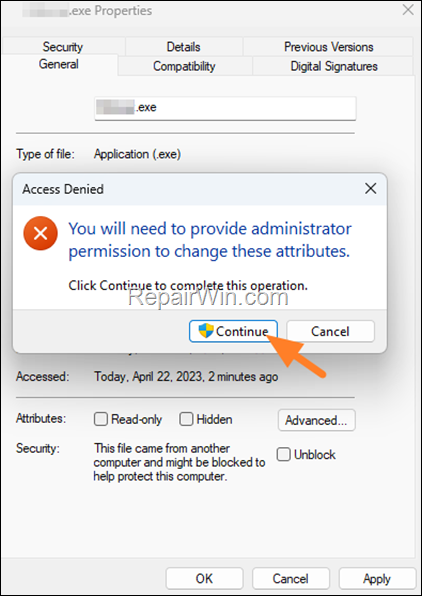
3. Click Continue on "Access Denied" message and you done! Now try to change the attributes of the .exe program.
That's all folks! Did it work for you?
Please leave a comment in the comment section below or even better: like and share this blog post in the social networks to help spread the word about this solution.
Frequently Asked Questions
What should I do if I encounter the 'An assertion failure has occurred' error when modifying attributes on a program file?
To resolve this error, right-click the .exe file, select Properties, go to the General tab, uncheck the Read-only checkbox, and click OK. Grant any required permissions if prompted.
Why do I receive the error 'An assertion failure has occurred' when trying to unblock a program?
This error typically arises when attempting to unblock a program from an untrusted publisher. The steps provided will guide you in bypassing this issue.
Can I solve 'An assertion failure has occurred' error using other methods?
While the provided method is often effective, ensuring that your system trusts the source or running the file as an administrator might help if issues persist.