
FIX: Windows 10 Installation failed 0x8007025D-0x2000C in the SAFE_OS phase (Solved)
On a Lenovo laptop, the following error appears when trying to upgrade Windows 10 v1803 to v1903: "We couldn't install Windows 10, 0x8007025D-0x2000C . The installation failed in the SAFE_OS phase with an error during APPLY_IMAGE operation."
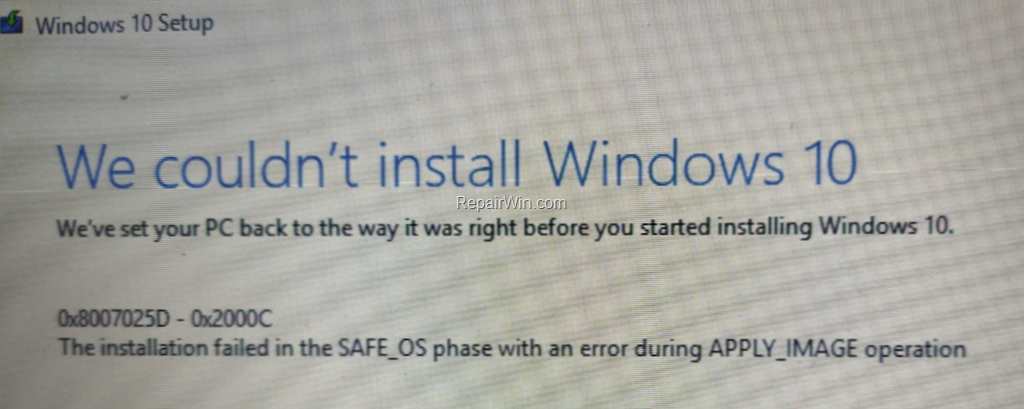
In this guide you'll find step by step instructions to resolve the error 0x8007025D-0x2000C in Windows 10 upgrade: "We couldn't install Windows 10, 0x8007025D-0x2000C. The installation failed in the SAFE OS phase with an error during APPLY IMAGE operation."
How to FIX Windows 10 Update Error 0x8007025D-0x2000C "Installation failed in the SAFE_OS phase with an error during APPLY_IMAGE operation"
The error code 0x8007025D-0x2000C in Windows 10 update, indicates a problem with a connected USB device. So, to resolve the problem 0x8007025D-0x2000C, follow these steps:
Step 1. Ensure that you have enough free space on your disk. Windows 10 requires at least 32 GB of free space to upgrade.
Step 2. Run Disk Cleanup and delete all the useless files.
Step 3. Disconnect all external USB drives & SD cards and any other USB device that don't needed.
Step 4. Temporarily uninstall any non-Microsoft Antivirus/Security software.
Step 5. Disable the Hard Drive Encryption (BitLocker, VeraCrypt, etc.).
Step 6. Install the latest drivers for all the devices on your system, especially for the Ethernet & the Wireless adapter (if any). *
* Note: If after applying the instructions in this article, the Windows 10 Upgrade Installation still fails, proceed and update also the BIOS (Firmware) on your system.
Step 7. Delete the 'SoftwareDistribution' Folder.
The "C:\Windows\SoftwareDistribution" folder, is the location where Windows store the Windows Updates. Many times, this folder becomes corrupted and you must re-create it in order to download the updates from scratch. To rebuild (re-create) the "SoftwareDistribution" folder follow the instructions below:
- Step 7A: STOP the Windows Update Service.
1. Open Windows Services control panel: To do that:
- Press Windows
 + R keys to open the run command box.
 - In the Search box, type: services.msc & click OK.
- (Accept the UAC warning if appears).


2. In Services control panel locate the "Windows Update" service.
3. Right-click on Windows Update service and select "Stop".

- Step 7B: Delete the SoftwareDistribution folder.
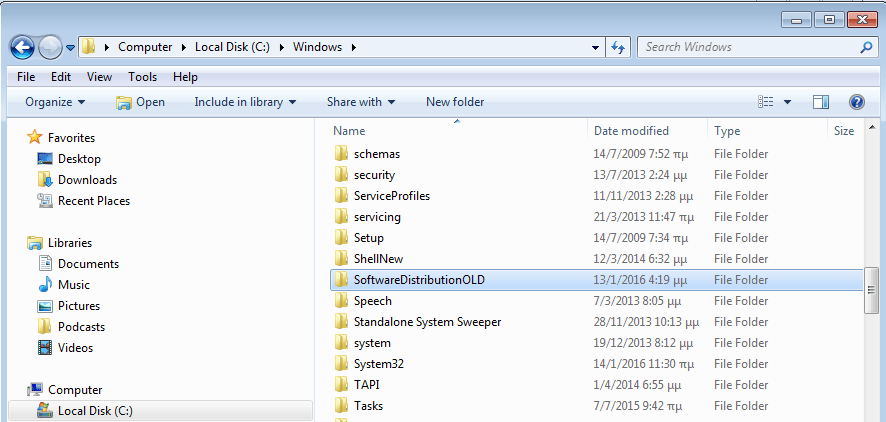
1. Open Windows Explorer and navigate to: C:\Windows folder.
2. Find and Delete the "SoftwareDistribution" folder (or rename it. e.g. to "SoftwareDistributionOLD") . *
* Note: If you cannot delete the folder, start Windows in Safe Mode.
- Step 7C: START the Windows Update Service.
1. Open Windows Services control panel.
2. Right-click on Windows Update service and select "Start".

Step 8. Download Windows 10 in a ISO File.
The next step to resolve the Windows 10 update error "0x8007025D-0x2000C . The installation failed in the SAFE_OS phase with an error during APPLY_IMAGE operation" is to update Windows 10, from the Windows ISO file. To do that:
1. Navigate to Windows 10 download page and download the Media Creation Tool.
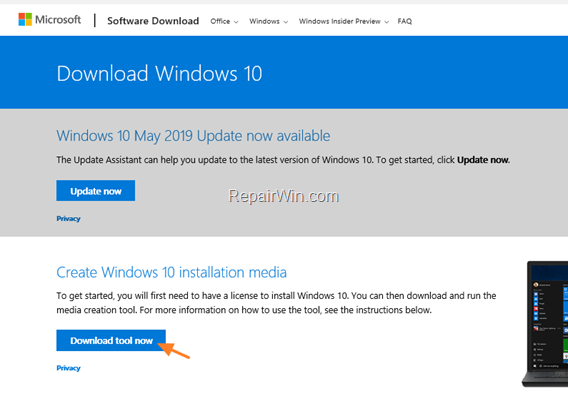
2. Run the 'Media Creation Tool' and Accept the License Terms at the first screen.
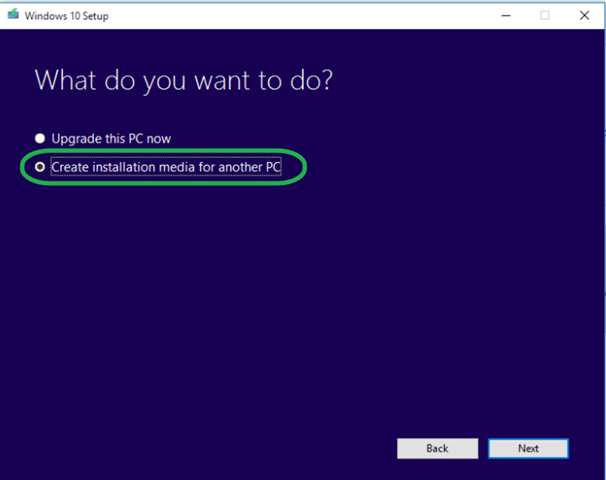
3. Select Create installation media for another PC.
4. At 'Language, architecture and edition' screen click Next.
5. Select ISO file and click Next.

6. Save the 'Windows.iso' file to your desktop.
7. The Media Creation Tool will now begin to download the Windows 10 in an ISO format.
8. When the download is completed, close the Media Creation Tool and continue to the next step.
Step 9. Update Windows 10 from the ISO file.
1. DISCONNECT all USB DEVICES that you don't need.
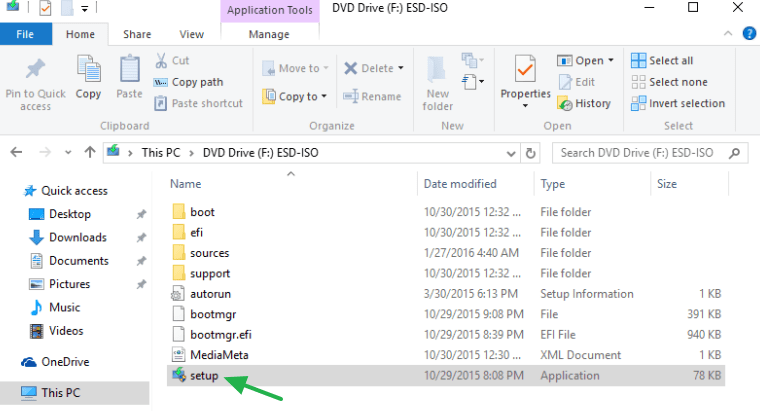
2. Then, right click on the "Windows.iso" file (on your desktop) and click Mount.
3. Double click at Setup application.
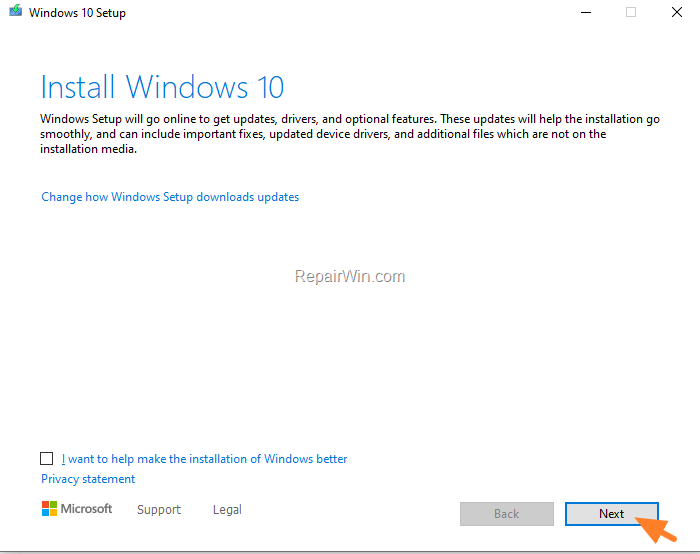
5. Click Next to install Windows 10.
6. Accept the License Terms and then click Install.
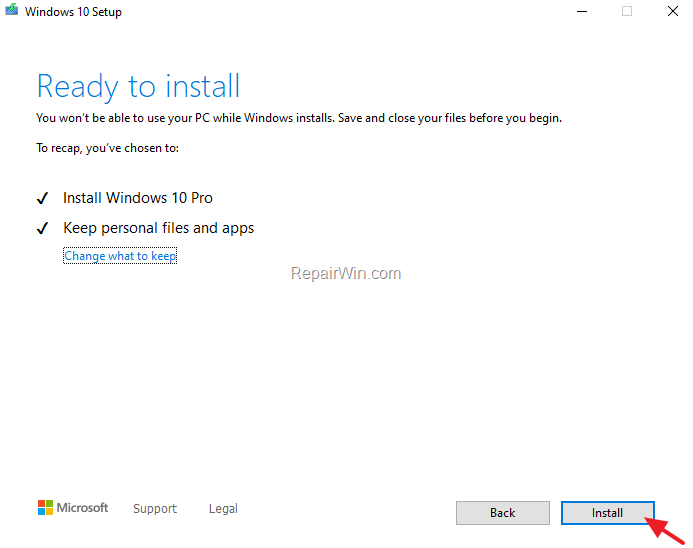
7. Now wait the update process to complete. *
* Note: If the update fails again, I suggest to backup all your important files and settings to another storage media (e.g. to an external USB drive) and then to perform a clean Windows 10 installation.
That's all folks! Did it work for you? Please leave a comment in the comment section below or even better: like and share this blog post in the social networks to help spread the word about this solution.
Frequently Asked Questions
What does the error code 0x8007025D-0x2000C signify when upgrading Windows 10?
The error code 0x8007025D-0x2000C indicates a problem with a connected USB device during the Windows 10 upgrade. It suggests that an issue occurred in the SAFE_OS phase with an error during the APPLY_IMAGE operation.
How can I resolve the error 0x8007025D-0x2000C when upgrading Windows 10?
To resolve this error, ensure sufficient free disk space, run Disk Cleanup, disconnect unnecessary USB devices, temporarily uninstall non-Microsoft antivirus software, and update all device drivers. You may also need to disable hard drive encryption and delete the 'SoftwareDistribution' folder if required.
Why is deleting the 'SoftwareDistribution' folder a recommended step in resolving Windows update errors?
The 'SoftwareDistribution' folder stores Windows updates and can become corrupted, causing update errors. Deleting or renaming this folder forces Windows to create a new one, allowing updates to be downloaded from scratch, potentially resolving the error.
How do I update Windows 10 using an ISO file?
To update using an ISO file, download the Windows Media Creation Tool from the Windows 10 download page. Use the tool to create an ISO file, save it to your desktop, and then mount the file. From there, run the setup application to begin the upgrade process.




November 17, 2020 @ 5:49 am
Nice
May 13, 2021 @ 6:04 pm
What fixed the issue for me was changing the SATA Operating Mode from "RAID On" to "RAID Autodetect / ATA" and then reinstalling Windows 7 base image and upgrading to windows 10 using the Media Creation Tool. This was on a Dell Precision T3500.
December 31, 2022 @ 5:00 am
Thank you, thank you, thank you!! Your fix WORKED after struggling for over a week. Bless you!!!