
FIX: Program Cannot Start Because VCRUNTIME140.DLL is missing (Solved)
This tutorial contains instructions to fix the following error in Windows 10 startup or when you try to run or install a program: “The program can’t start because VCRUNTIME140.dll is missing from your computer. Try reinstalling the program to fix this problem”.

The "VCRUNTIME140.dll" file is a part of Microsoft Visual C++ 2015 and is required by applications that are developed using Visual Studio 2015. If the "VCRUNTIME140.dll" file is missing or corrupted, then the system displays the "VCRUNTIME140.DLL is missing" error whenever the file "VCRUNTIME140.DLL" is required to run an application.
How to FIX: VCRUNTIME140.DLL is Missing.
1. Download the Microsoft Visual C++ 2015 Redistributable package.
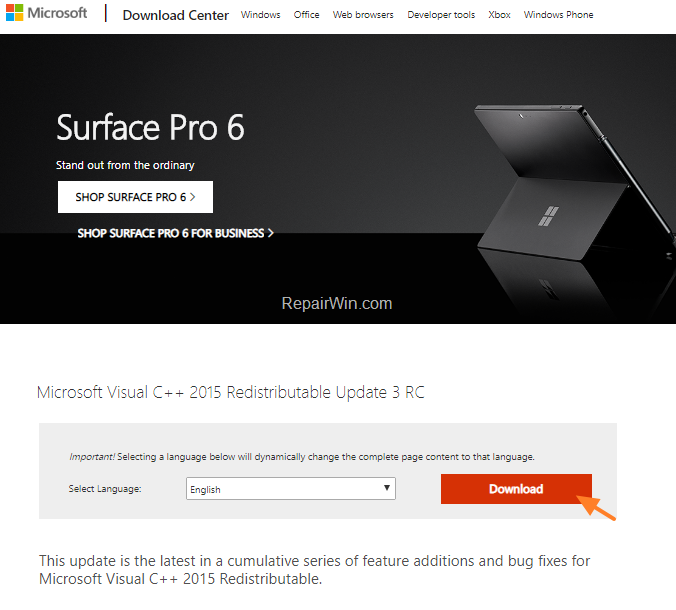
2. At the next screen, select according your Windows architecture (32 or 64-bit), the corresponding "vc_redist.exe" file to download (or download both files if you unsure).

3. When the download is completed, double click at "vc_redist.exe" you downloaded.
4. Accept the license terms and click Install.

That's all folks! Did it work for you?
Please leave a comment in the comment section below or even better: like and share this blog post in the social networks to help spread the word about this problem.
Frequently Asked Questions
What causes the 'VCRUNTIME140.dll is missing' error?
The error occurs when the VCRUNTIME140.dll file, which is part of the Microsoft Visual C++ 2015 package, is missing or corrupted. This file is needed by applications developed with Visual Studio 2015.
How can I fix the 'VCRUNTIME140.dll is missing' error?
To fix this error, download and install the Microsoft Visual C++ 2015 Redistributable package suitable for your Windows architecture (32 or 64-bit). After downloading, run the 'vc_redist.exe' file and follow the instructions to complete the installation.
Where can I download the Microsoft Visual C++ 2015 Redistributable package?
You can download the package from the Microsoft website. Be sure to select the appropriate version for your Windows architecture (32 or 64-bit), or download both if you're unsure.



