
How to Disable Bitdefender protection Temporarily or Permanently.
If you want to permanently or temporarily disable Bitdefender antivirus, then continue reading below.
In this article you will find step-by-step instructions on how to disable Bitdefender Real Time protection or other Bitdefender modules, for a certain period of time in order to deal with other problems or if you want to install a legitimate program and you can't. The instructions below applies to all Bitdefender products, Bitdefender Total Security, Bitdefender Internet Security and Bitdefender Antivirus Plus.
How To Disable Bitdefender Antivirus Real Time Protection Temporarily Or Permanently.
To stop Bitdefender's real-time protection against viruses and other malware:
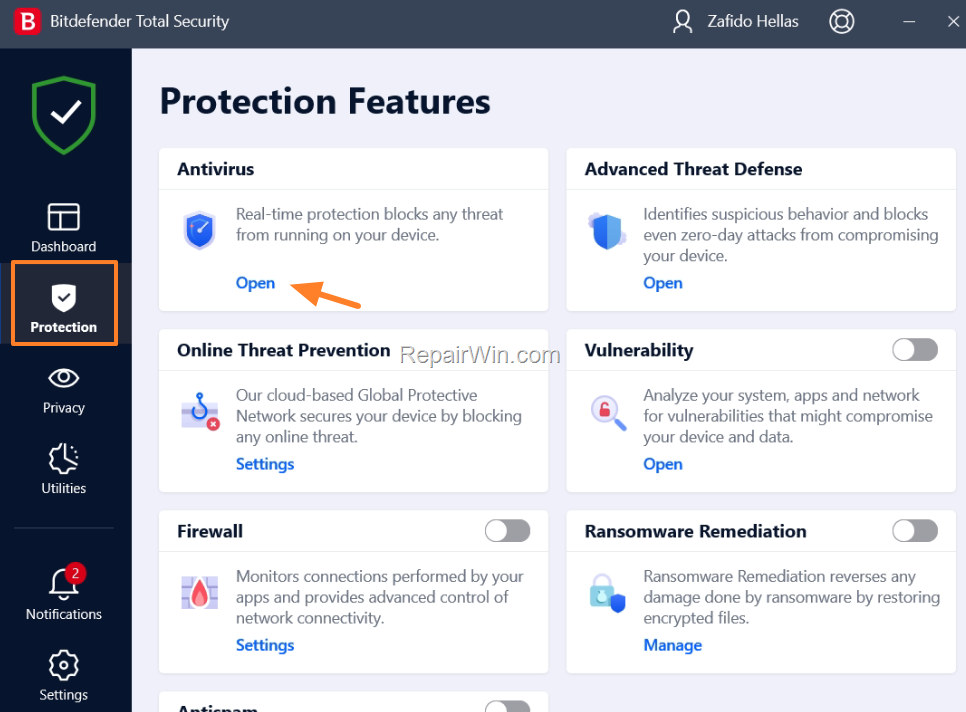
1 Open Bitdefender, choose Protection on the left pane and then click Open at Antivirus options.
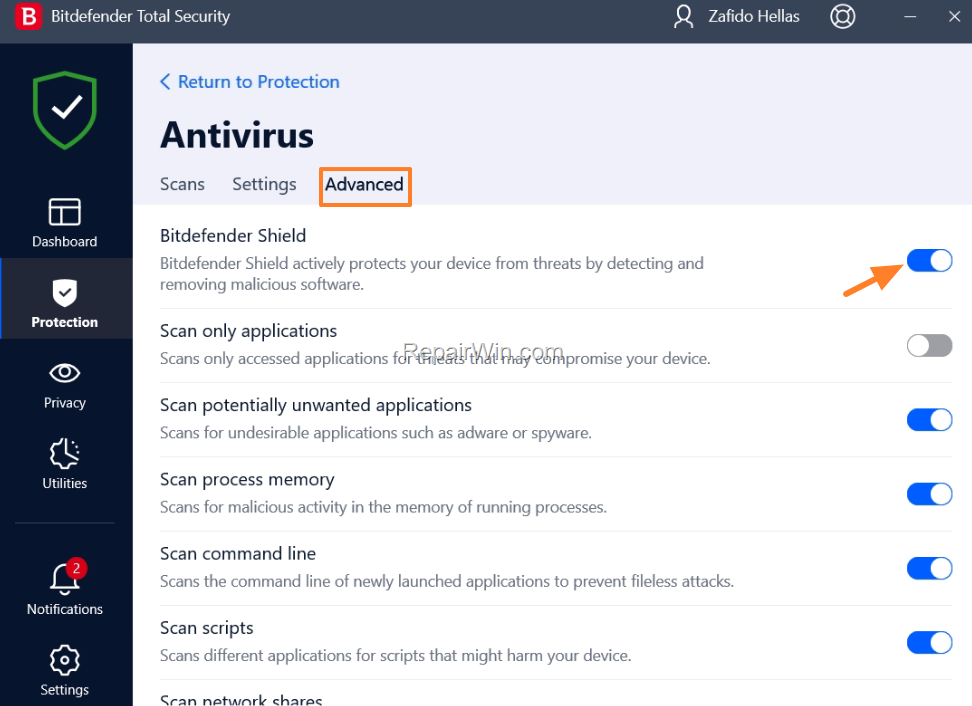
2. n the Antivirus options, select the Advanced tab, and then drag the Bitdefender Shield switch to the OFF position.
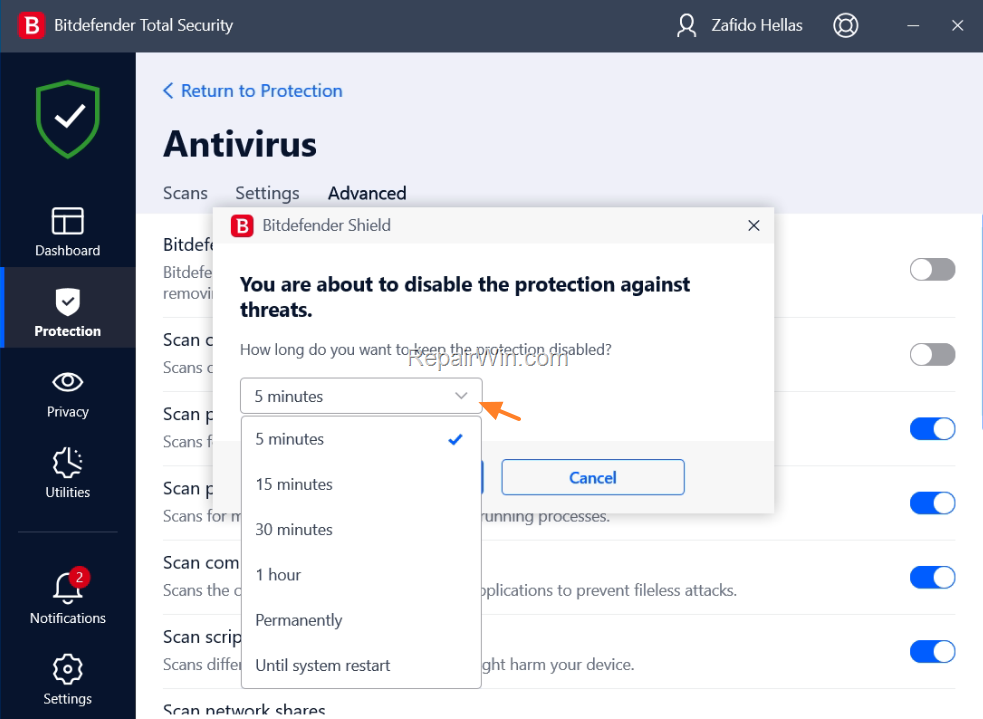
2a. Then, click on the drop-down arrow and select how long you want to disable Bitdefender's real-time protection. (e.g. "1 hour"). When done, click OK. *
* Note: If you want to permanently disable Bitdefender just choose "permanently" here and click OK.
3. When you're done, you'll see all Bitdefender antivirus shields disabled so you can do what you want.

How To Disable Bitdefender Firewall or other Bitdefender Protection features.
As you know, Bitdefender has many protection features such as Firewall, Ransomware protection, Antispam and Online threat protection, etc.. In case you wish to temporarily or permanently disable one of these features, go to Protection settings and slide the relevant switch to OFF.

That’s all folks! Did it work for you?
Please leave a comment in the comment section below or even better: like and share this blog post in the social networks to help spread the word about this solution.
Frequently Asked Questions
How can I temporarily disable Bitdefender Real-Time Protection?
To temporarily disable Bitdefender Real-Time Protection, open Bitdefender, go to Protection, click Open at Antivirus options, select the Advanced tab, and slide the Bitdefender Shield switch to OFF. Choose the time duration for the disablement from the drop-down menu, such as '1 hour', and click OK.
Can I permanently disable Bitdefender Real-Time Protection?
Yes, you can permanently disable Bitdefender Real-Time Protection by following the same steps for temporary disablement. When prompted to select the duration, choose 'permanently' and click OK to confirm.
Is it possible to disable other Bitdefender protection features like Firewall and Ransomware protection?
Yes, you can disable Bitdefender's other protection features such as Firewall and Ransomware protection. Navigate to Protection settings and slide the relevant feature's switch to OFF to either temporarily or permanently disable it.
Where can I provide feedback if the instructions did or did not work for me?
You can leave a comment in the comment section of the blog post to provide feedback about whether the instructions worked for you. Additionally, you can like and share the post on social networks to help others who may benefit from it.



