
How to Create Windows 11 Installation Media USB.
This tutorial will show you how to create a Windows 11 Installation Media on a USB drive to install or repair Windows 11. By using the steps in this tutorial, you will be able to download Windows 11 legally from Microsoft's site and to create a Windows 11 USB installation disk, that can be used for a clean installation of Windows 11 or to repair Windows 11 problems.
How to Create a Windows 11 USB Installation Media.
1. Connect an empty USB drive with at least 8GB space on your computer.
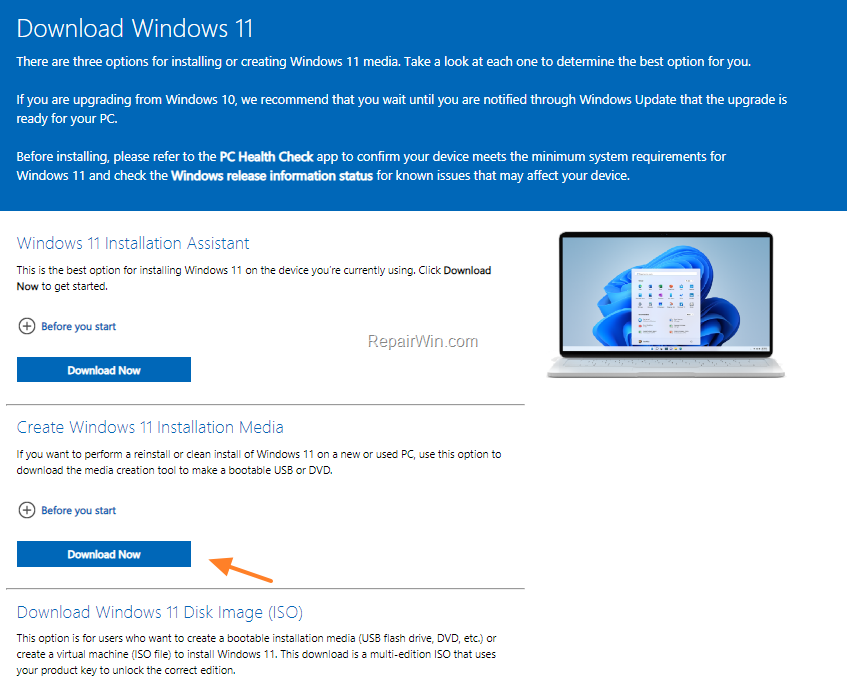
2. Navigate to Windows 11 download page and download the Windows 11 Media Creation Tool.
3. Double-click at the downloaded file "MediaCreationToolW11.exe" and ask Yes to UAC warning.
4. Accept the License Terms.
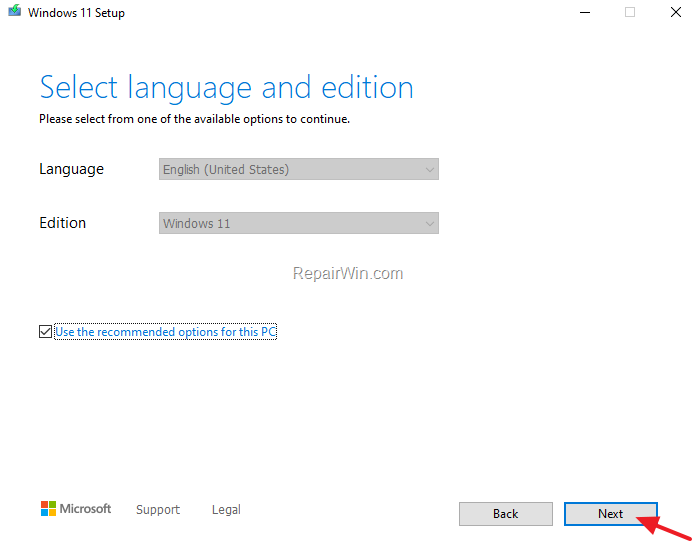
5. At Language and Edition options leave the default options and click Next (Optionally: Uncheck the "Use the recommended options for this PC" checkbox, to make your own choices).
6. At "Choose which media to use" options, select USB flash drive and click Next.

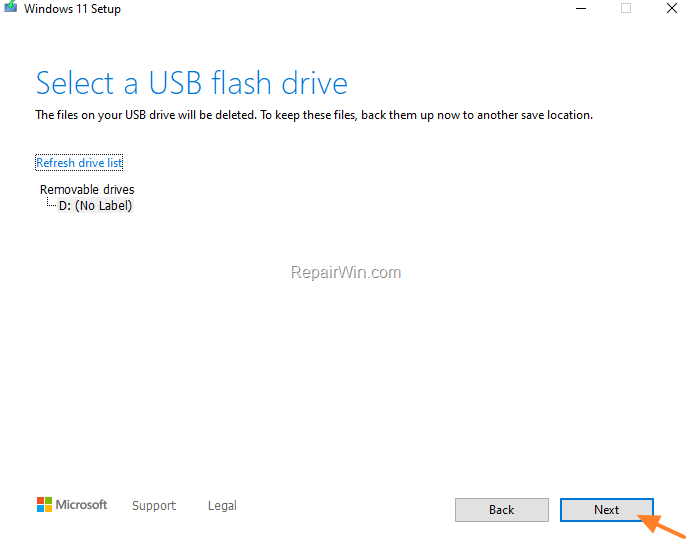
7. At "Select USB flash drive" screen, click Next. *
* Important: Make sure that you haven't any files on the USB drive before clicking "Next". The drive will be erased during this process.
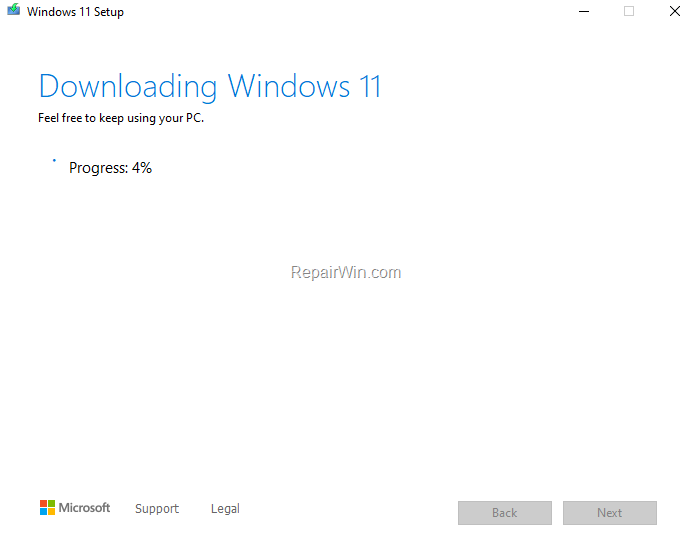
8. Media Creation Tool will now begin to download the Windows 11 installation files.
9. Wait until the Media Creation tool, creates the Windows 11 USB Installation media.
10. When the process is complete, click Finish.
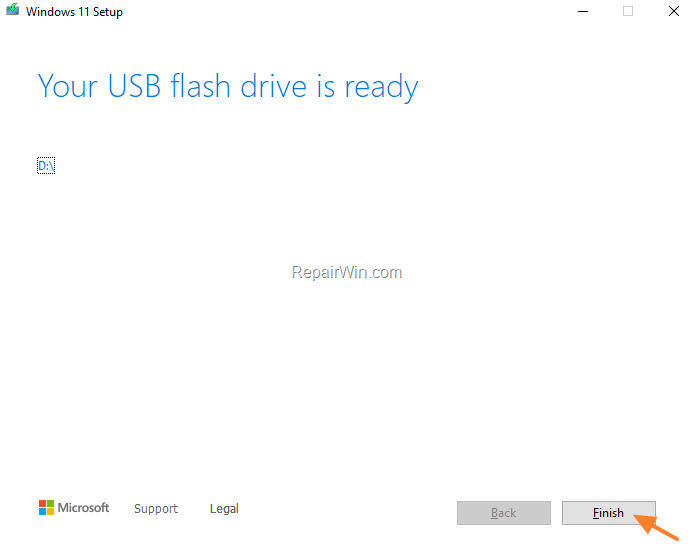
11. From now on, you can use the created Windows 11 USB Installation drive to repair or to clean install Windows 11.
That’s all folks! Did it work for you?
Please leave a comment in the comment section below or even better: like and share this blog post in the social networks to help spread the word about this.
Frequently Asked Questions
What are the prerequisites for creating a Windows 11 Installation Media on a USB drive?
You need an empty USB drive with at least 8GB of space and a computer to connect it to. Additionally, you'll need to download the Windows 11 Media Creation Tool from Microsoft's website.
Which tool do I need to download to create a Windows 11 USB installation disk?
You need to download the Windows 11 Media Creation Tool, which is available on the official Windows 11 download page.
How can I ensure I make the right language and edition selections during setup?
At the Language and Edition options screen, it's usually best to leave the default settings. However, you can uncheck the "Use the recommended options for this PC" checkbox if you want to make specific choices.
What should I be cautious of before proceeding with the USB creation process?
Make sure the USB drive has no files on it, as the process will erase all data on the drive.




February 22, 2022 @ 1:07 pm
Thank you for sharing such information related to windows 11 media creation tool .