
FIX: Reset 120 Days Grace Period on RDS Server 2016/2012.
If you have installed an RDS Server 2016 for testing purposes and the RDS licensing grace period has expired, then continue reading below to learn how to reset the 120 days grace period. As you may know when you install the RDS Server 2016 you have 120 days to install the RD client access licenses (RD CALs), otherwise users will no longer be able to establish RDP sessions on the RD Session Host server, with error "The remote desktop session was disconnected because there are no Remote Desktop License servers available to provide a license".
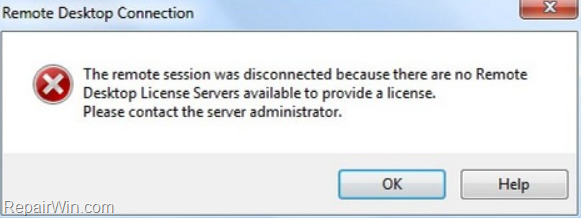
How to Reset RDS Licensing Grace Period on Server 2012 or 2016. *
* Important: Apply the instructions below, only if you 're using the RDS Server 2016 on a testing environment. If you want the want to use the RDS Server on a production environment then proceed and buy RD CALs.
To extend the 120 days Grace Period on RDS Licensing Server:
1. Open the Registry Editor and navigate at the following key:
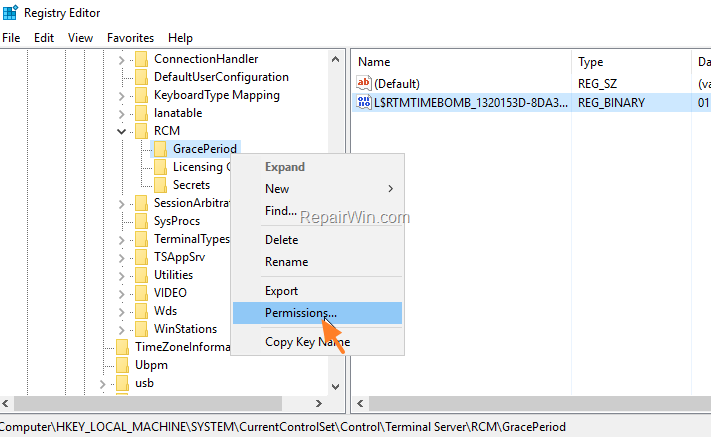
- HKEY_LOCAL_MACHINE\SYSTEM\CurrentControlSet\Control\Terminal Server\RCM\GracePeriod
2. Right click at the 'GracePeriod' key and select Permissions.
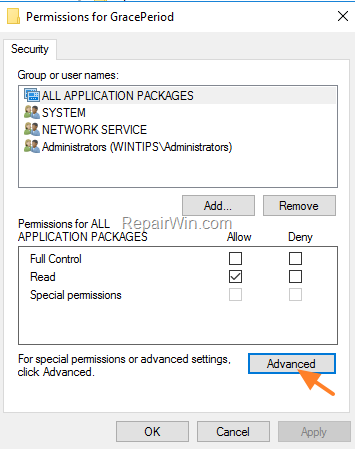
3. Then click Advanced.
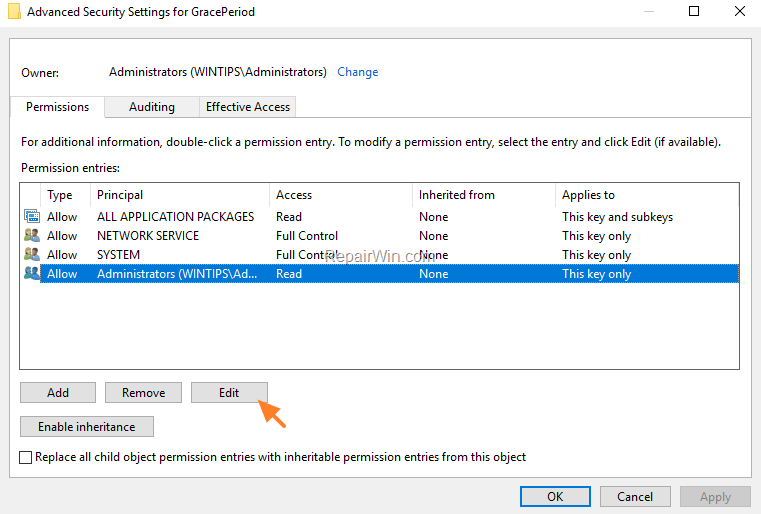
4. Select the Administrators object and click Edit.
5. Change the permissions to Full Control and click OK.

6. Right click at "L$RTMTIMEBOMB…" value and select Delete.
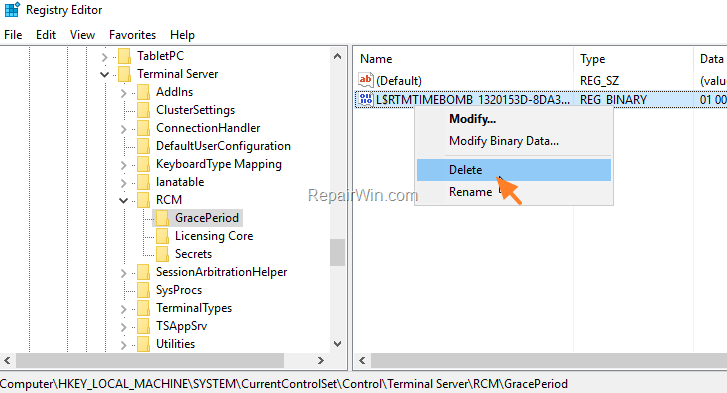
7. Close the Registry Editor and restart the RDS Server.
That's all folks! Did it work for you?
Please leave a comment in the comment section below or even better: like and share this blog post in the social networks to help spread the word about this solution.
Frequently Asked Questions
What happens when the RDS licensing grace period expires on Server 2016?
When the 120-day grace period expires, users will no longer be able to establish RDP sessions on the RD Session Host server and will receive an error message stating 'The remote desktop session was disconnected because there are no Remote Desktop License servers available to provide a license'.
Can I extend the RDS licensing grace period on Server 2016 in a production environment?
No, the instructions to reset the grace period are intended only for a testing environment. For a production environment, it's recommended to purchase RD CALs.
How can I reset the RDS licensing grace period on Server 2016 for testing purposes?
To reset the grace period, open the Registry Editor and navigate to the 'HKEY_LOCAL_MACHINE\SYSTEM\CurrentControlSet\Control\Terminal Server\RCM\GracePeriod' key. Adjust the permissions to Full Control for the Administrators object, delete the 'L$RTMTIMEBOMB...' value, and then restart the RDS Server.
What should I do after resetting the RDS licensing grace period?
After resetting, restart the RDS Server. It's also helpful to leave a comment or share your experience to help others who might benefit from this solution.




November 2, 2021 @ 10:12 am
Good.
November 12, 2021 @ 12:46 pm
Yes it worked thanks…
December 23, 2022 @ 3:26 pm
Me ajudou, obrigado.
September 28, 2023 @ 11:59 am
It Worked, many many thanks